> ## Documentation Index
> Fetch the complete documentation index at: https://docs.smartinterview.ai/llms.txt
> Use this file to discover all available pages before exploring further.
# Smartinterview: Designing the AI context for user interviews
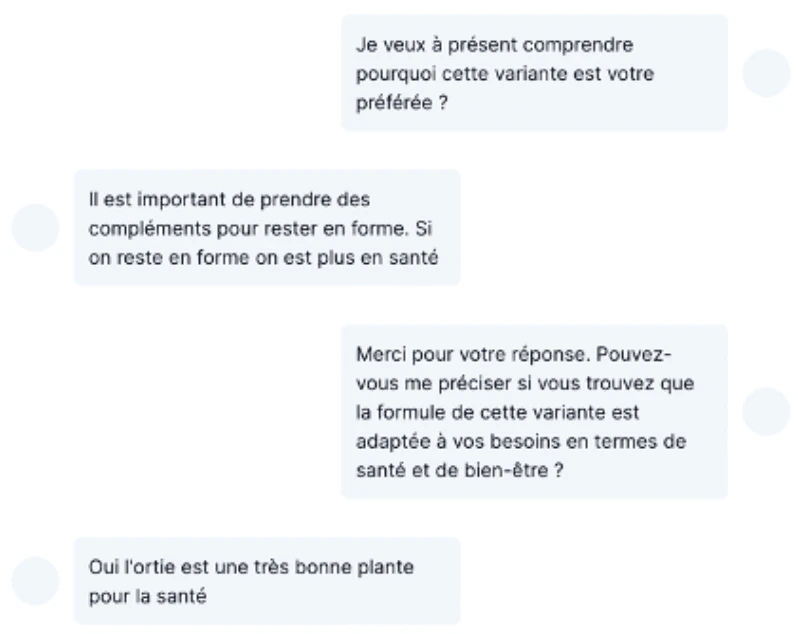 Designing an AI-powered interview in SmartInterview goes far beyond writing a single question. The quality of insights depends on how well the **interview context** is defined.
The interview context allows the AI to behave like a skilled human interviewer:\
asking relevant questions, adapting follow-ups, respecting language preferences, and maintaining visual and brand consistency throughout the experience.
This article explains, step by step, how to design a robust and scalable AI interview context in SmartInterview.
##### **Skipping the learning and using a template**
* You can skip this step and directly use the following link to create your survey: [link](https://www.smartinterview.ch/en/dashboard/create-from-template?template=product-testing\&redirects=5)
***
## **1. Choosing the context of the interview**
### **What is an interview context?**
The interview context defines:
* **What is the objective of the interview?**
* **How the AI should behave.**
It acts as a shared frame of reference for all questions and follow-ups.
### **Key elements to define**
Before creating any question, clearly think about:
* **Role**
* What is the role of the interviewer: Market Researcher or an HR person?
* **Research objective**
* Exploration (discover themes, motivations, perceptions)
* Validation (test assumptions or hypotheses)
* Evaluation (assess a concept, product, or service)
* **Target respondent**
* Consumer, professional, expert, or general public
* Level of familiarity with the topic
* **Interview tone**
* Neutral and factual
* Empathetic and conversational
* Analytical and expert-driven
***
### **Example of a context definition**
Here is a very neutral and simple guideline of an English brand testing AI context, for familiar respondents.
You can actually copy and paste the topic and reuse it inside your survey
> *You are a market research specialist. You are trying to understand what a person associates with Coca-Cola. You interview them to learn what comes to mind and how they perceive the brand. The person speaks, and their comments are transcribed into text. You should systematically ask questions related to their answers in order to obtain as much detail as possible.*
**In this example:**
* The first line defined the role: market research specialist (very important)
* The 2-3-4 lines represent the research objective
* The 5 represent the rules: **English language** and **asking questions**
***
## **2. Selecting the number of follow-up questions**
LOI is a very strong concern when we run market research, as we don't want to explode our cost of research.
##### **LOI concerns**
* **SmartInterview is a cost-effective solution that significantly reduces time-to-insight.** Based on 278 open-ended responses collected on tablets from European respondents in 2024, the **median length of interview (LOI) per open-ended question is 13.75 seconds per answer**. This means that on **mobile or desktop**, you can reasonably expect a **median response time below 10 seconds per follow-up question**, thanks t Our new design feature automatically streams the open-ended prompt directly onto the respondent’s screen.
##### **Insight quality concerns**
* Based on our experiments, we found that programming 2–3 follow-up questions is the optimal way to use the product while minimizing respondent fatigue.
* In this configuration, open-ended questions become a powerful asset for capturing deeper insights, without increasing cognitive load or interview fatigue for respondents.
## **3. In-platform tutorial**
With a chosen context and follow-up number, the next step is to design the survey.
##### **Skipping the learning and using a template**
* You can skip this step and directly use the following link to create your survey: [link](https://www.smartinterview.ch/en/dashboard/create-from-template?template=product-testing\&redirects=5)
##### **1- Creating the question**
Click on the smart question in the builder
Designing an AI-powered interview in SmartInterview goes far beyond writing a single question. The quality of insights depends on how well the **interview context** is defined.
The interview context allows the AI to behave like a skilled human interviewer:\
asking relevant questions, adapting follow-ups, respecting language preferences, and maintaining visual and brand consistency throughout the experience.
This article explains, step by step, how to design a robust and scalable AI interview context in SmartInterview.
##### **Skipping the learning and using a template**
* You can skip this step and directly use the following link to create your survey: [link](https://www.smartinterview.ch/en/dashboard/create-from-template?template=product-testing\&redirects=5)
***
## **1. Choosing the context of the interview**
### **What is an interview context?**
The interview context defines:
* **What is the objective of the interview?**
* **How the AI should behave.**
It acts as a shared frame of reference for all questions and follow-ups.
### **Key elements to define**
Before creating any question, clearly think about:
* **Role**
* What is the role of the interviewer: Market Researcher or an HR person?
* **Research objective**
* Exploration (discover themes, motivations, perceptions)
* Validation (test assumptions or hypotheses)
* Evaluation (assess a concept, product, or service)
* **Target respondent**
* Consumer, professional, expert, or general public
* Level of familiarity with the topic
* **Interview tone**
* Neutral and factual
* Empathetic and conversational
* Analytical and expert-driven
***
### **Example of a context definition**
Here is a very neutral and simple guideline of an English brand testing AI context, for familiar respondents.
You can actually copy and paste the topic and reuse it inside your survey
> *You are a market research specialist. You are trying to understand what a person associates with Coca-Cola. You interview them to learn what comes to mind and how they perceive the brand. The person speaks, and their comments are transcribed into text. You should systematically ask questions related to their answers in order to obtain as much detail as possible.*
**In this example:**
* The first line defined the role: market research specialist (very important)
* The 2-3-4 lines represent the research objective
* The 5 represent the rules: **English language** and **asking questions**
***
## **2. Selecting the number of follow-up questions**
LOI is a very strong concern when we run market research, as we don't want to explode our cost of research.
##### **LOI concerns**
* **SmartInterview is a cost-effective solution that significantly reduces time-to-insight.** Based on 278 open-ended responses collected on tablets from European respondents in 2024, the **median length of interview (LOI) per open-ended question is 13.75 seconds per answer**. This means that on **mobile or desktop**, you can reasonably expect a **median response time below 10 seconds per follow-up question**, thanks t Our new design feature automatically streams the open-ended prompt directly onto the respondent’s screen.
##### **Insight quality concerns**
* Based on our experiments, we found that programming 2–3 follow-up questions is the optimal way to use the product while minimizing respondent fatigue.
* In this configuration, open-ended questions become a powerful asset for capturing deeper insights, without increasing cognitive load or interview fatigue for respondents.
## **3. In-platform tutorial**
With a chosen context and follow-up number, the next step is to design the survey.
##### **Skipping the learning and using a template**
* You can skip this step and directly use the following link to create your survey: [link](https://www.smartinterview.ch/en/dashboard/create-from-template?template=product-testing\&redirects=5)
##### **1- Creating the question**
Click on the smart question in the builder
 ##### **2- Designing the smartquestion**
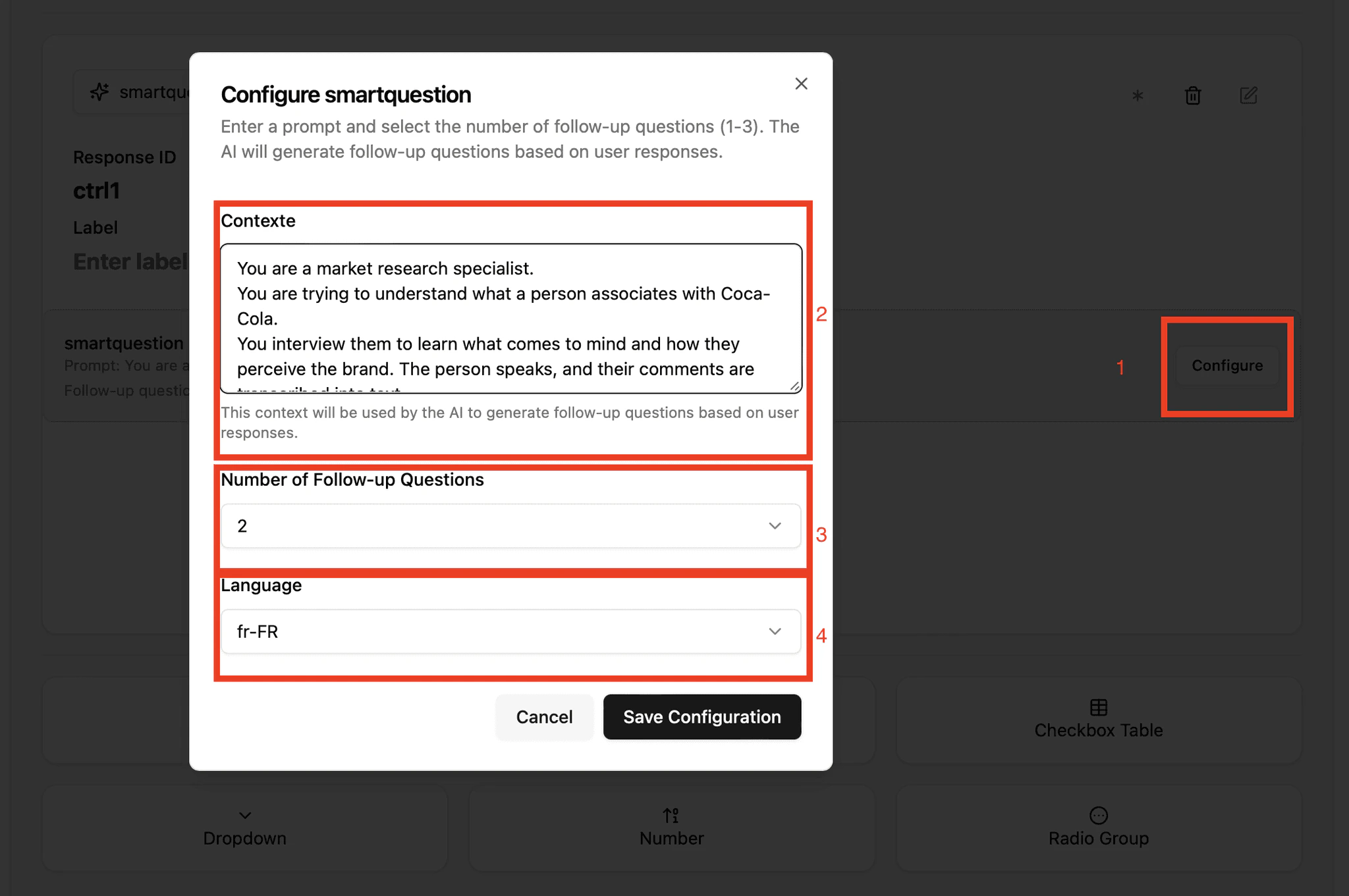 By clicking on "Configure", you will enter the context, the number of follow-ups, and the language of the interview.
##### **Adapting Style, Colors, and Interview Templates**
##### **1 - Why visual consistency matters**
A consistent interface:
* Builds trust for respondents
* Reduce fatigue and misunderstanding
* Improves completion rates
Respondents are more engaged when the interview feels coherent and professional.
##### **2 - Elements to align**
* Colors and brand palette
By clicking on "Configure", you will enter the context, the number of follow-ups, and the language of the interview.
##### **Adapting Style, Colors, and Interview Templates**
##### **1 - Why visual consistency matters**
A consistent interface:
* Builds trust for respondents
* Reduce fatigue and misunderstanding
* Improves completion rates
Respondents are more engaged when the interview feels coherent and professional.
##### **2 - Elements to align**
* Colors and brand palette
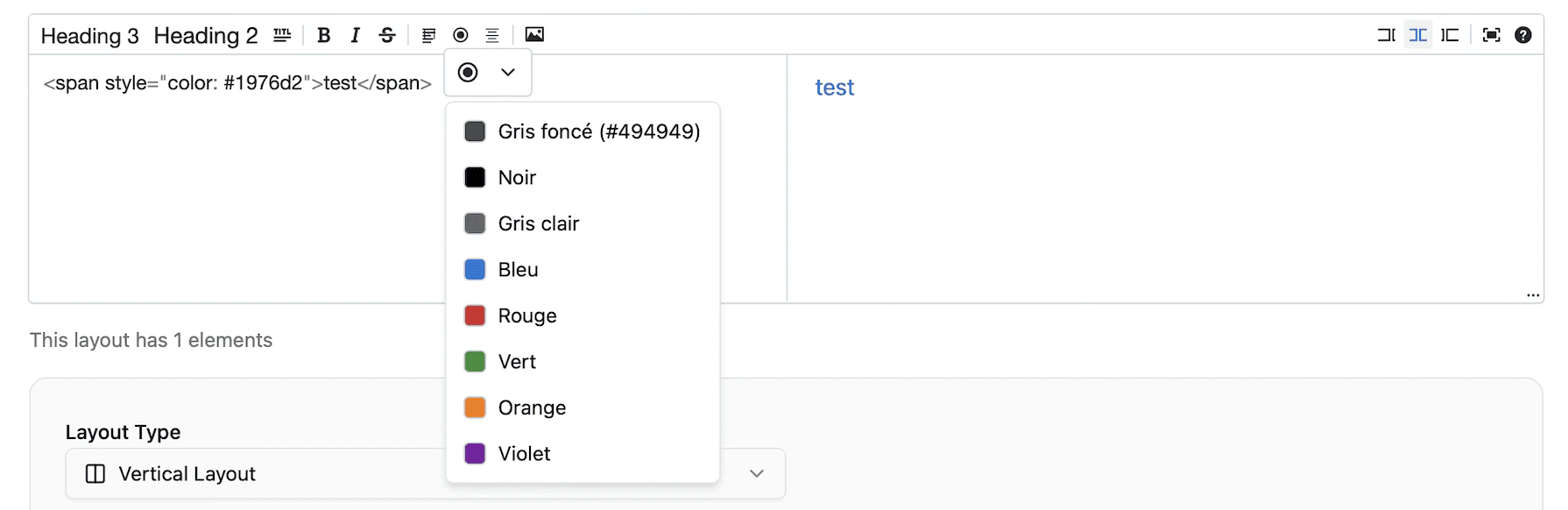 * Typography
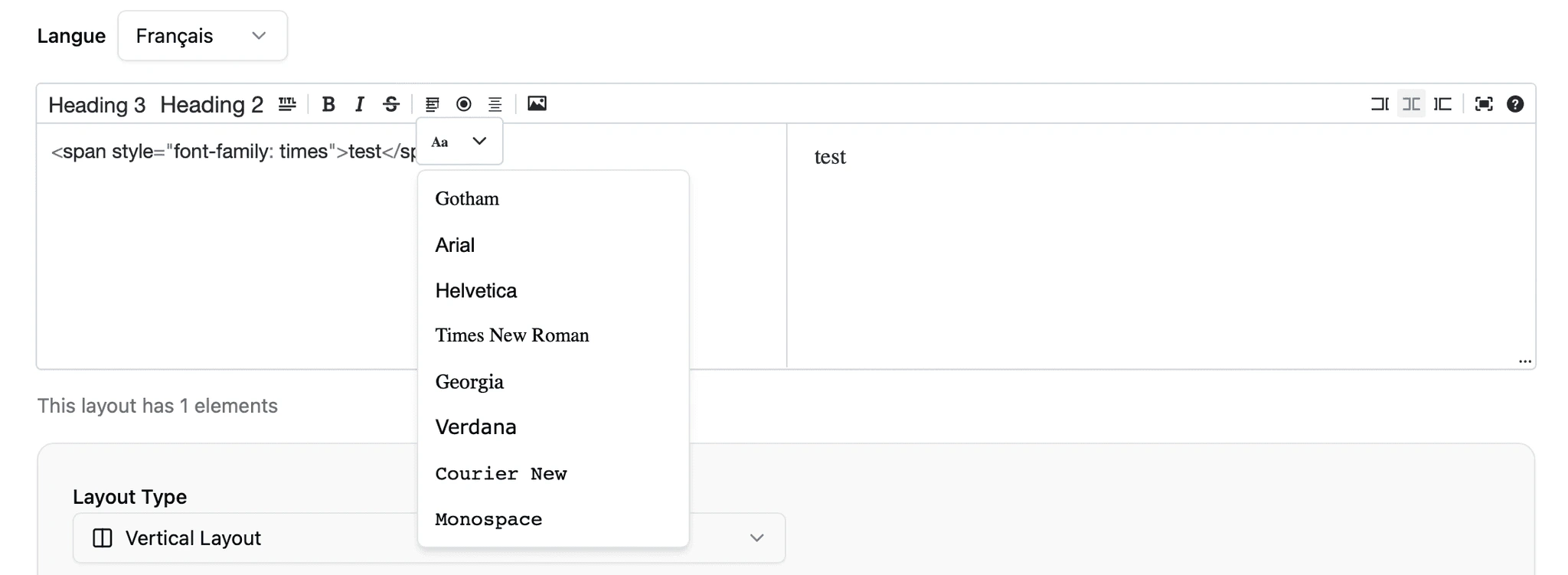 * Text size
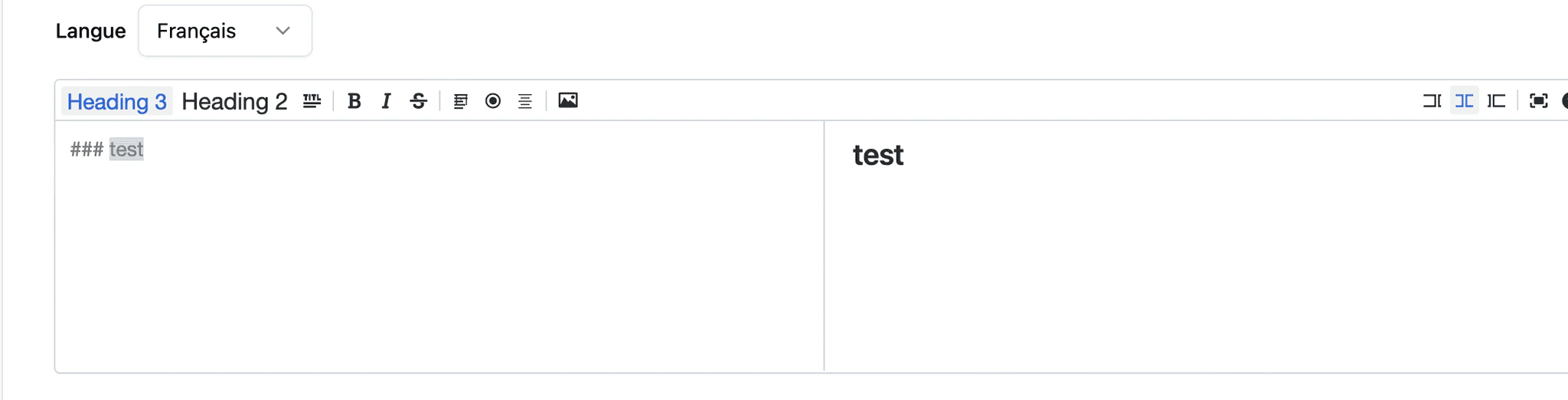 * Interview “voice & text.”
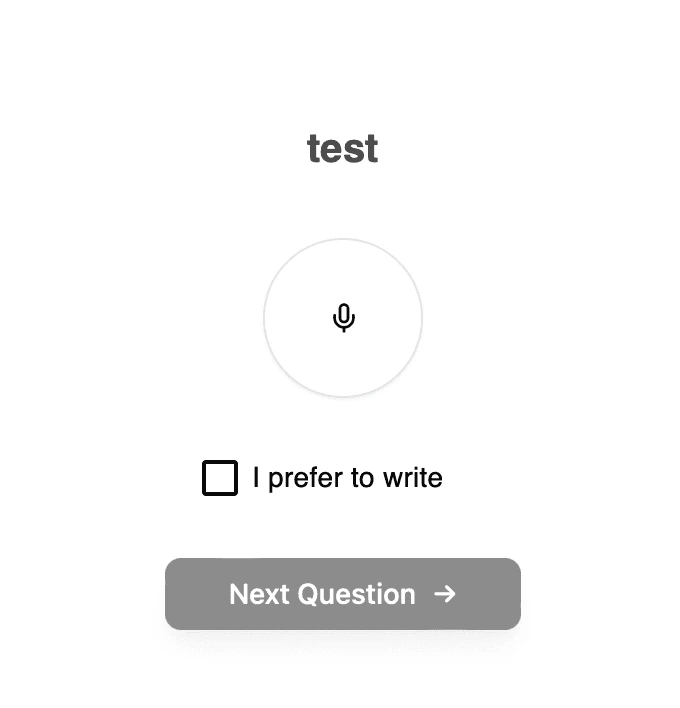 This design stays fixed for the moment.
##### **3 - How images interact with AI questions**
Images can be displayed alongside the question
The AI could then explicitly reference the image when asking contextual follow-ups.
***Example***:
> *After looking at this image and in consequence that you have a strong affinity with the brand, what are your first impressions?*\
> *Which specific element of the visual influenced your opinion the most?*
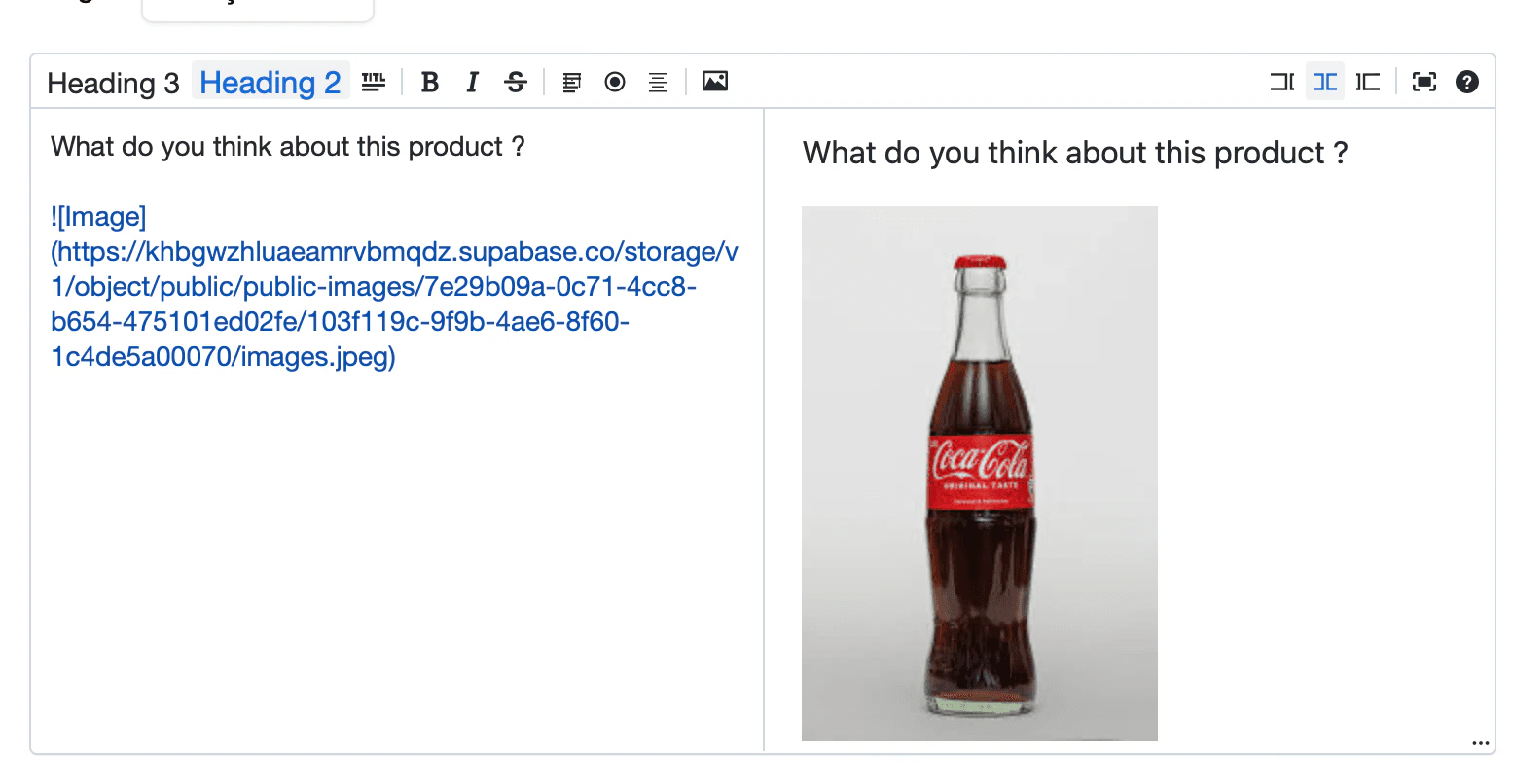
##### **4 - Integrating an image**
**Best practices:**
* Use one clear image per question
* Maintain consistent image quality
* Avoid visual overload
Images anchor responses and improve recall and specificity.
This design stays fixed for the moment.
##### **3 - How images interact with AI questions**
Images can be displayed alongside the question
The AI could then explicitly reference the image when asking contextual follow-ups.
***Example***:
> *After looking at this image and in consequence that you have a strong affinity with the brand, what are your first impressions?*\
> *Which specific element of the visual influenced your opinion the most?*
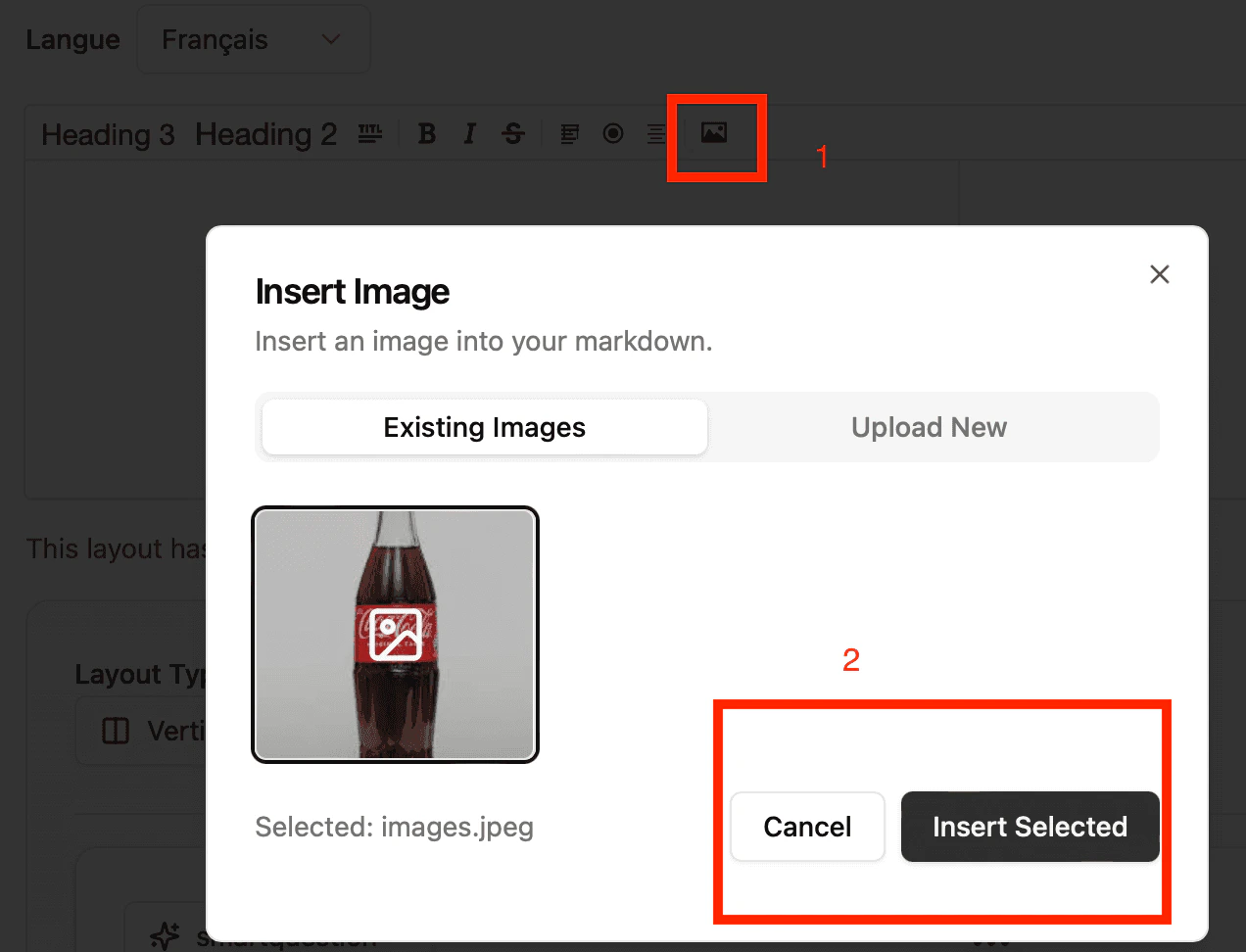
##### **4 - Integrating an image**
**Best practices:**
* Use one clear image per question
* Maintain consistent image quality
* Avoid visual overload
Images anchor responses and improve recall and specificity.
 ##### **5 - Starting from a template**
* **Ready to get started?**\
You can kick off your SmartInterview in seconds by using this template based on an existing product-testing interview. It’s a great way to save time and build on proven best practices.: [link](https://www.smartinterview.ch/en/dashboard/create-from-template?template=product-testing\&redirects=5)
Cheers, and happy interviewing!
##### **5 - Starting from a template**
* **Ready to get started?**\
You can kick off your SmartInterview in seconds by using this template based on an existing product-testing interview. It’s a great way to save time and build on proven best practices.: [link](https://www.smartinterview.ch/en/dashboard/create-from-template?template=product-testing\&redirects=5)
Cheers, and happy interviewing!